In saying all that. There is often battery drainage even though I don’t actually use the watch much. Especially on standby. I’m talking 1-2 precent every 20 mins as if I’m using it? Any ideas?
Have you tried a reboot? Typically, UL doesn’t use more battery than the stock launcher. Unless you use “Always on Display”.
1 Like
Regarding AOD. If i turn that off do i have to turn it off anywhere else like the stock launcher? Because it’s actually never Always on display
Would it be possible to add a simple notification filter? My situation is I have HeartOnTop with day tracking on and I keep getting a notification that “Display over Other Apps” is allowed in HoT even though notifications from HoT are disabled.
The stock launchers don’t have a always on display. Only a twist the wrist. These are not the same thing. The AOD settings will be in the setting section for universal launcher. Not on the pull down panel with wifi bluetooth and location on it. Sorry not a great pic using my watch with a cracked screen right now.
If this box is checked then once you turn the screen off, it’s off. But if you don’t touch anything it’s not going to time out and turn it’s self off it will just slow down animations to 1 frame per second to save power. If you touch the screen it will go back to normal animation for how ever long your screen time out is set to. Then goes back to 1 frame per second. The power button will still turn off the display like normal.
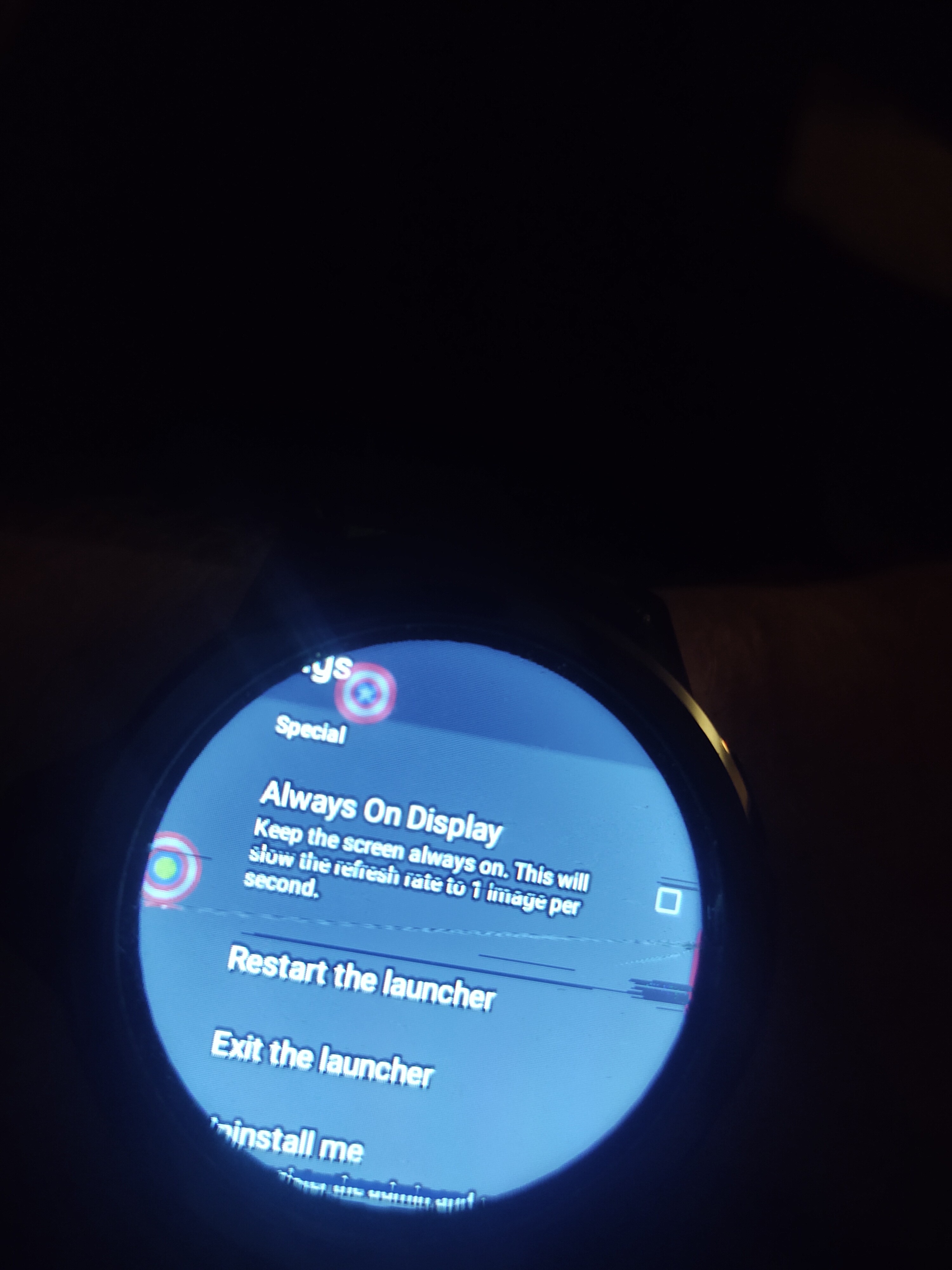
1 Like
Thanks for this. Very useful & I’ll turn it on
I was wondering if it’s possible to add some kind of modification to universal launcher so it shows the time & or battery % on every page. It’s quite annoying to have to press the home button to see it and more time it takes a while. Thanks.
what view of UL are you staying on, that would require to show the time ? i don’t see the use of this right now…
1 Like
Those details are available in the watch faces, which are the centre of the watch navigation, and where the watch ‘rests’ when you are not in an app.
If you are wanting to be able to see the clock all the time the easiest way is to install a notification panel app with edge triggers. Some of those have clocks large enough to see in the notification panel
Well, it’s a watch. So I’d always need to see the time Before I do anything. Even my current phone has a digital time display in the upper right corner of the screen to see the time at any time. I’d expect the same for a watch. Not claiming it’s a feature not needed means you’re using the watch away from it’s original function.
Yes, the main watchface. I’m asking to be able to see the time in the simplest “00:00” format when doing anything away from the main screen watchface so i wouldn’t have to go to the actual homepage all the time. Saving me precious time not wasted. I’m sure it’s more than possible.
I’ll look into this & hopefully it solves my problem. Any apps for this please? & The main way i would like this to be implemented is either into the launcher or on a piece of flashed software. Regardless I’ll look into it. Thank you
The problem is what you’re asking for is not a normal clock function if you’re just needing a clock that’s on the main display when you look at it. Universal launcher does not replace the stock notification panel like on your phone that panel is in there and usable but you would need to install something like smart touch or a notification shade to access it it’s normally disabled. This is because it is not needed with the stock or universal launcher style pull-down menus. That notification panel you’re talking about with the clock on it up in the left corner, it’s all in there but that’s not part of universal launcher you can’t see the left corner anyways so even tho it’s there you couldn’t see it anyways.
That part of the original operating system is still there you would need some way to access it. Either smart touch to access the stock one or a notification shade to get one that’s got some a adjustably in the panel.
Thank you man. This is a closer solution to what I’m asking & I’ll check it out
Btw the vibration of the watch is insanely strong. Anyways to dampen it? Putting it on silent is to quite as I’m not alerted on anything at all.
I don’t think you can change this vibration
What about with the new software that was made i can flash? Any options there?
An alternative that would work for me is an option to turn off the screen about 5 seconds after notifications unless the screen is touched.
Edit: Come to think of it Tasker can do that,. so never mind I guess.
That is not a question for the UL thread.
Why don’t you ask if it can be done in the firmware thread?