Can you do me a little test . Time gps lock without sim / wifi outside
Thanks
Any suggestion on an app to test GPS acquisition time? Google. Maps require some things to be activated and I fear that It will enable other options than the classic GPS signal.
Any suggestion on an app to test GPS acquisition time? Google. Maps require some things to be activated and I fear that It will enable other options than the classic GPS signal.
Any suggestion on an app to test GPS acquisition time? Google. Maps require some things to be activated and I fear that It will enable other options than the classic GPS signal.
I think you are looking for more like this type app. I have used this one and it works good gives you a lot of information about GPS.
Can you do me a little test . Time gps lock without sim / wifi outside
Thanks
I made a few tests. GPS fix happen in between 5 and 20 seconds. No SIM. No WI-FI. open area. This is pretty good from prior experiences with a few GPS units I had before.
I made a few tests. GPS fix happen in between 5 and 20 seconds. No SIM. No WI-FI. open area. This is pretty good from prior experiences with a few GPS units I had before.
May 13, 2018 21:08:46 GMT 1krapulant said: I made a few tests. GPS fix happen in between 5 and 20 seconds. No SIM. No WI-FI. open area. This is pretty good from prior experiences with a few GPS units I had before.
Sounds good . Thankyou
Appreciated
I find that the built in engineering tool is the best way to test gps. It is really easy to use and no Google activation is required
May 13, 2018 21:44:56 GMT 1pablo11 said: I find that the built in engineering tool is the best way to test gps. It is really easy to use and no Google activation is required 👍
Engineering tool? Where? Are there any hidden menus? A
httpxx://youtu.be/Jfds5hSfPqI - please remove the xx to make this video work in your browser.
It was noticeable that this watch has a very large black bezel around the inside edge of the screen while the promotional pictures on their web site and BangGood show an edge to edge screen.
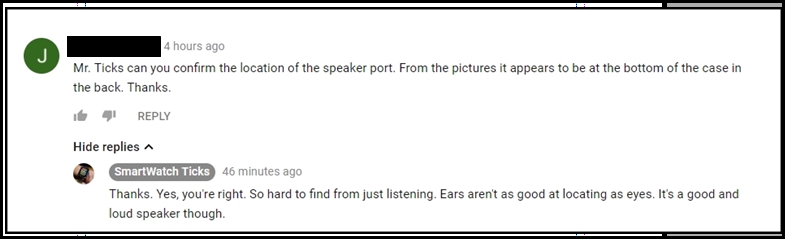
Mr. Ticks just confirmed that the speaker on the LEM 7 is located at the bottom of the back of the watch. Probably the best location if in the back.
I also noticed the Zeblaze located the speaker port for the Thor 4 on the front bottom of the watch, instead of in the back like the Lem 7, where it will be partially blocked. Along with the bezel it shows a little more thought was put into its design.
Sorry, I thought you knew about the speaker location before…
It’s like the H2 but at the bottom - not the side. This is to help prevent sweat from getting in which was a lesson learnt from the H2…
The engineering shortcut tool is a short cut to the MTK built in engineering app. Correct.
It’s built in location testing app is actually very good and accurate.
As he does not use Google - I thought the built in tool is probably best.
I followed instructions within the app and the watch. Activate Bluetooth on both devices. Use the app in the watch, get the app (WiiWatch2) for your mobile phone. Then within the app (on the phone) , use the pair button.
Ok I turned on Bluetooth for both devices, got the QR code to download the wiiwatch 2 app gave it permission. Click the see Wii icon on the upper right of the Wii app. Scan it an some numbers flash at the bottom but not pairing numbers