I’m sorry, and don’t want to cause any arguments…
But, after doing this for over 10 years, I have to say that loading the firmware in the flash tool, click download and with the watch powered off - connect the USB cable to the watch and then plug the other end into your pc usb socket.
If everything is ok, it will automatically begin to flash.
The error you have makes me think that there is a white space in the path to the firmware files on your computer.
The path to load the firmware and scatter file MUST NOT have any spaces in it.
Example:
C:\Users\pablo11\Desktop\DM101_Firmware\
Absolutely no spaces in the folder names and files.
Does this make sense @mons3fa…?
If you still have problems, let me know.
PS: the watch automatically enters flashing mode is it is powered off when you connect it to the pc, if you have installed the drivers correctly and click download on the flash tool software before connecting.
MTK chipset is one of the few solutions where you do not need to press any buttons after following the process as I have just explained.
Thanks @Dr_Andy_Vishnu (for this watch, you are correct) and I seriously suspect that there is a space in the folder path.
If you do a search on this error, the failure to read is usually because of a space in the path.
By the way,
You only risk losing your imei if you are flashing firmware that has a different partition layout.
As @christ says though, it is standard practice to perform a factory reset after flashing firmware.
Just to ensure no strange problems down the road.
The watch is power off, i click on download button and plug the watch : the Flash dont start.
The watch is power off, i click on download button and plug the watch while click once the button on the watch : the Flash start.
This is the only way who work for me on my computer..
Oh dear, that’s a shame.
This normally only happens if the driver is not quite right or your AV software is blocking it.
Always works fine for me.
Still, as long as you can work around it, then it’s all good.
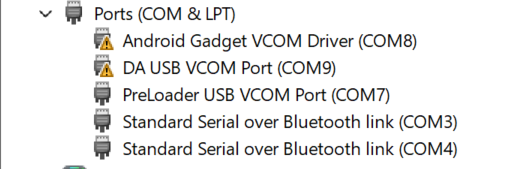
Just curious, which MTK drivers are you using and does the com port show up immediately when you plug in a powered off watch?
Because it should pop up in device manager and then go away again if you are not flashing.
I tried the process mentioned above, plugging usb in after hitting Download and selecting ‘firmware upgrade’ with the DM101 off . Still gets stuck at readback 25%, if I get lucky, otherwise gets stuck at 0% readback.
I also tried hitting the power button after hitting download. Still only get 0% readback when doing the firmware upgrade.
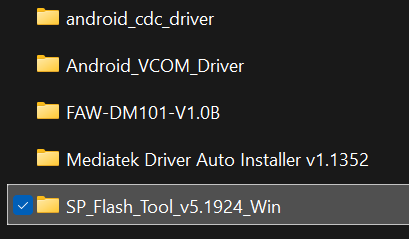
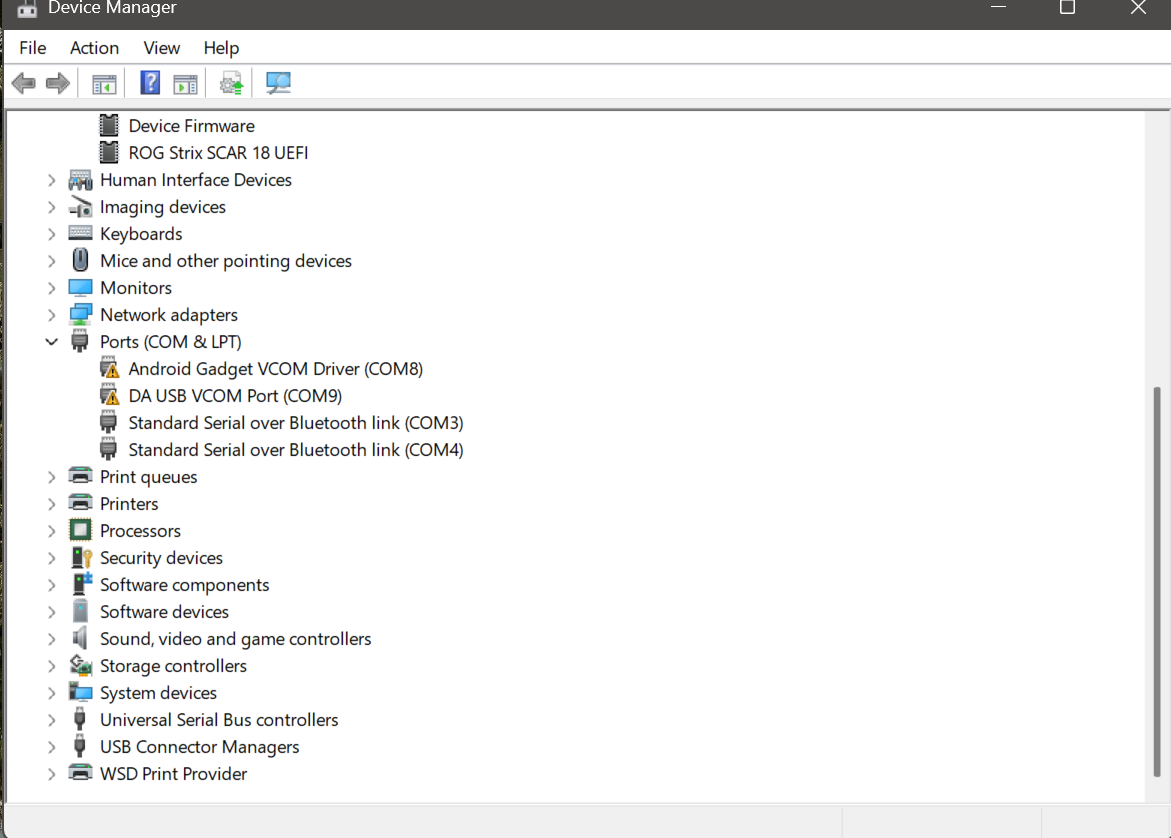
I have the same drivers as you but whihout the triangle ( who means a problem ) try to update your drivers with : https://mtkdriver.com/
Also be sure your connecttion on the watch and usb are clean, clean them with some alcohol.
Nothing I have tried has worked. I still have the same exact issue. I am ready to give up. I had purchased this for my kid and at this point I am just ready to buy something else. Can you guys suggest something that will be of comparable screen size?
The drivers are not signed by Microsoft and have to be installed by rebooting to advanced start up on your pc and disable driver signing security setting.
That should allow you to use the drivers.
If the watch gets stuck and you can’t reboot or get any response from it - you need to remove the rear cover and disconnect the battery cable from the main board for a few seconds and then reconnect it.