I have to admit that I can’t understand your approach. Why don’t you wait until you have the watch you ordered in your hands? Then you can try it out in peace and quiet to see whether it works for you - and we don’t have to speculate about it in advance.
If you need a higher operating system than A7, A10 is available for this watch - so you can choose between A7 and A10.
2 Likes
Thread cleared of unnecessary discussions.
2 Likes
Hi everyone! This is my first post!
Would like to get direction on what I should do with my watch.
After downloading a few apps at once, the watch no longer shows the main menu and I have no access to settings to perform a hard reset.
I entered in the wrong password for 3 sets of 3 and waited 15 seconds between each password and I did not receive a prompt for hard reset.
Thank you in advance 
I very much doubt that this is the original DM101 Ticwris MAX-S.
Did you get to see what Android version you had before you blatted it?
What ever app you installed must have either changed the screen DPI or something like that, to cause the launcher to break.
Unfortunately the real DM101 (MAX-S) has not been manufactured since 2018 / 2019.
Can you link some pictures or use prefix hxxp to add a link to where you purchased it from.
I’m guessing that it’s Android 9 or 8.1.
The original was Android 7.1.1.
Looks like this on the back and has a metal surround with two buttons on the left side and main camera on the right hand side.
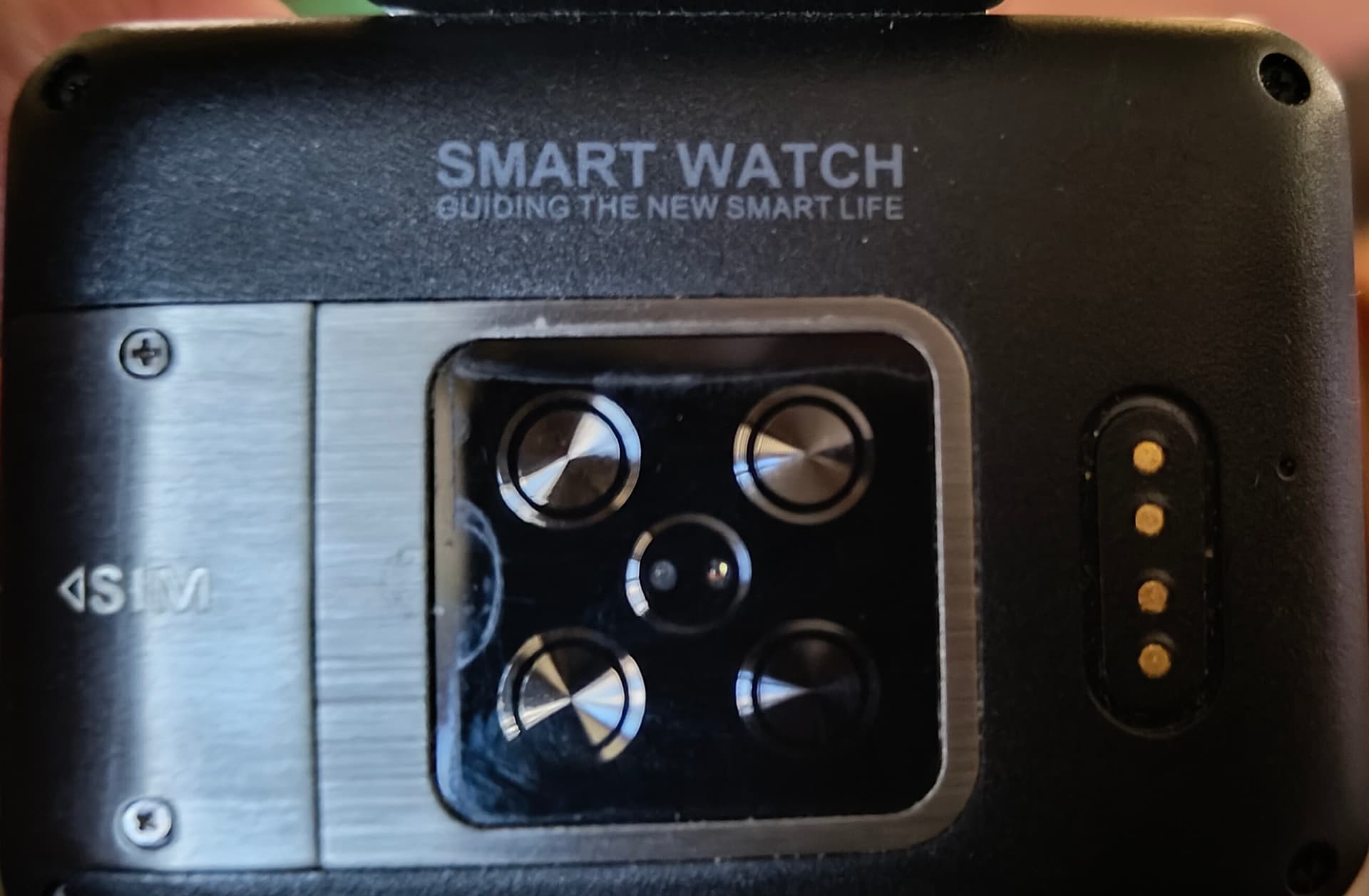
What apps did you install?
Did you grant any permissions regarding Accessibility or Device Management.?
Did you enable usb debugging and developer options?
If the no other option is available, you will need to VERY CAREFULLY remove the rear cover and disconnect the battery for 30 seconds.
The bottom line is that if this is not the original Android 7 version, there is nothing else we can do.
Cheers
2 Likes
Hi Pablo, thank you for your reply
Here is the information I found about the watch: Ticwris Max 4G Smart Watch Phone Android 7.1 MTK6739 Quad Core 3GB / 32GB Smartwatch Heart Rate Pedometer IP67 Waterproof
I was downloading 2-3 apps (I don’t recall which ones) and as far as permissions, I usually decline location and allow photos/camera/mic.
This was purchased from GearBest in 2020 and the link is now broken and unavailable on their site.
When I plug the watch into my computer, nothing happens. I think disconnecting the battery is best.
Yep ok.
That is the correct Android version and chipset.
Do you have any idea which firmware version the watch is using at the moment?
If the worst happens, I will share the latest stock A7 firmware with you, but you will need to understand how to use the firmware file.
Cheers
how do I know what firmware to use for this watch I purchased but my kid got it locked with pattern and I am unable to unlock it.
The back of the watch looks exactly like the one posted in post 264, I am unable to upload an image of what I purchased.
Here is the listing:
hxxps://www.ebay.com/itm/115885447769?mkcid=16&mkevt=1&mkrid=711-127632-2357-0&ssspo=bchXsb83QpK&sssrc=4429486&ssuid=Eloc2Vn3SSu&var=&widget_ver=artemis&media=COPY
Updated to include the image of the listing because the link no longer works.
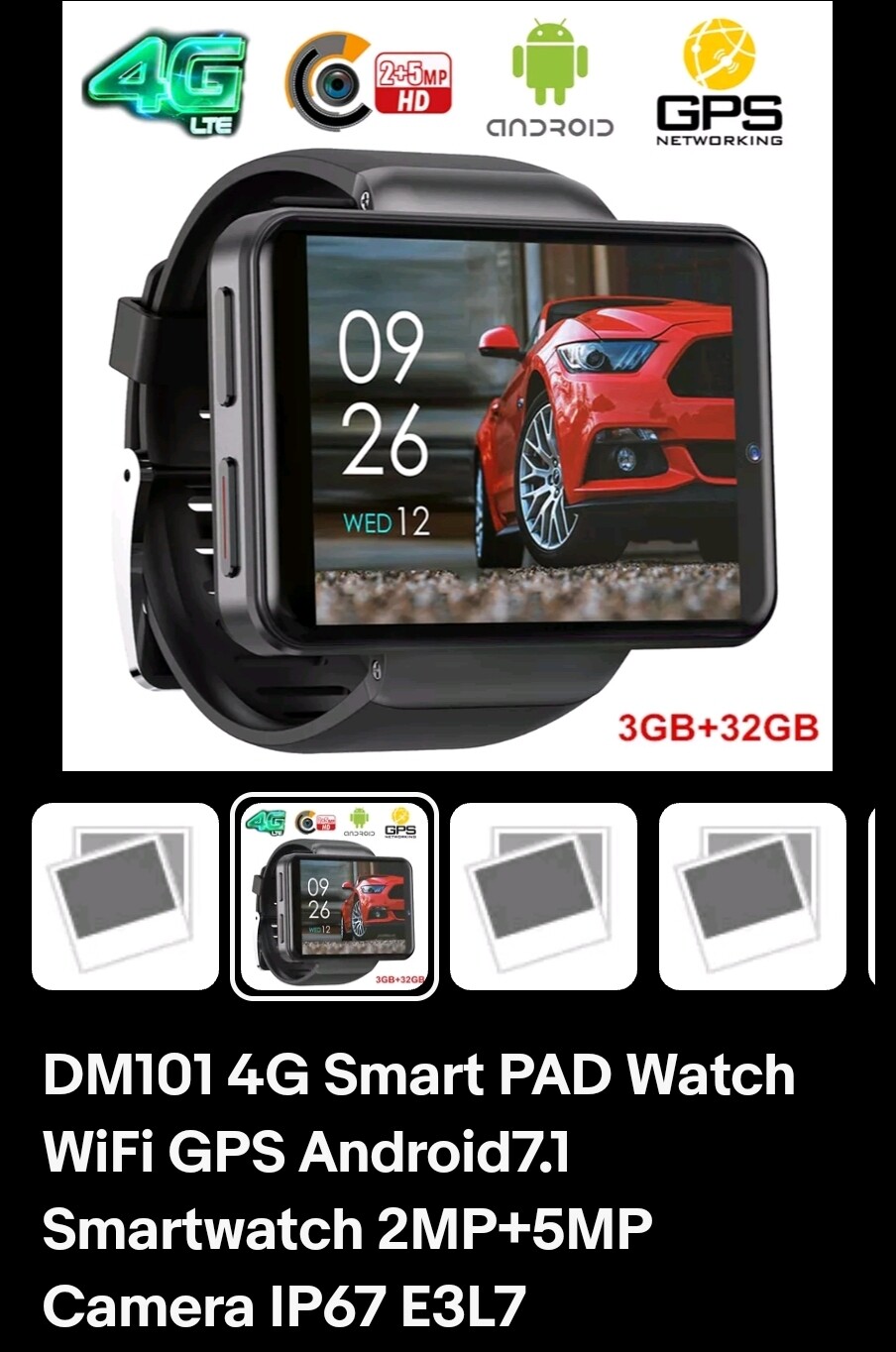
It is the 3GB+32Gb version, before it was locked it had Android 7.1 and as I understand it I need to Flash the firmware in order to get it unlocked. Where can I find the stock firmware or if possible, how can I flash the newest firmware for A10.
I hope this is the correct thread to post this to any and all help is appreciated.
Yes, you can flash it in A10, make a search in the download area…
1 Like
You won’t find the download section at the moment. You have to reach trustlevel 2 first.
1 Like
I am working my way there. I appreciate the assistance and guidance found on these forums.
1 Like
Ok guys I have level 2 now and was wondering where to find the download area.
Categories- download area.
1 Like
Thank you! where can I find a guide for being able to flash it?
2 Likes
I installed the Drivers after rebooting into safe mode since the drivers are unsigned.
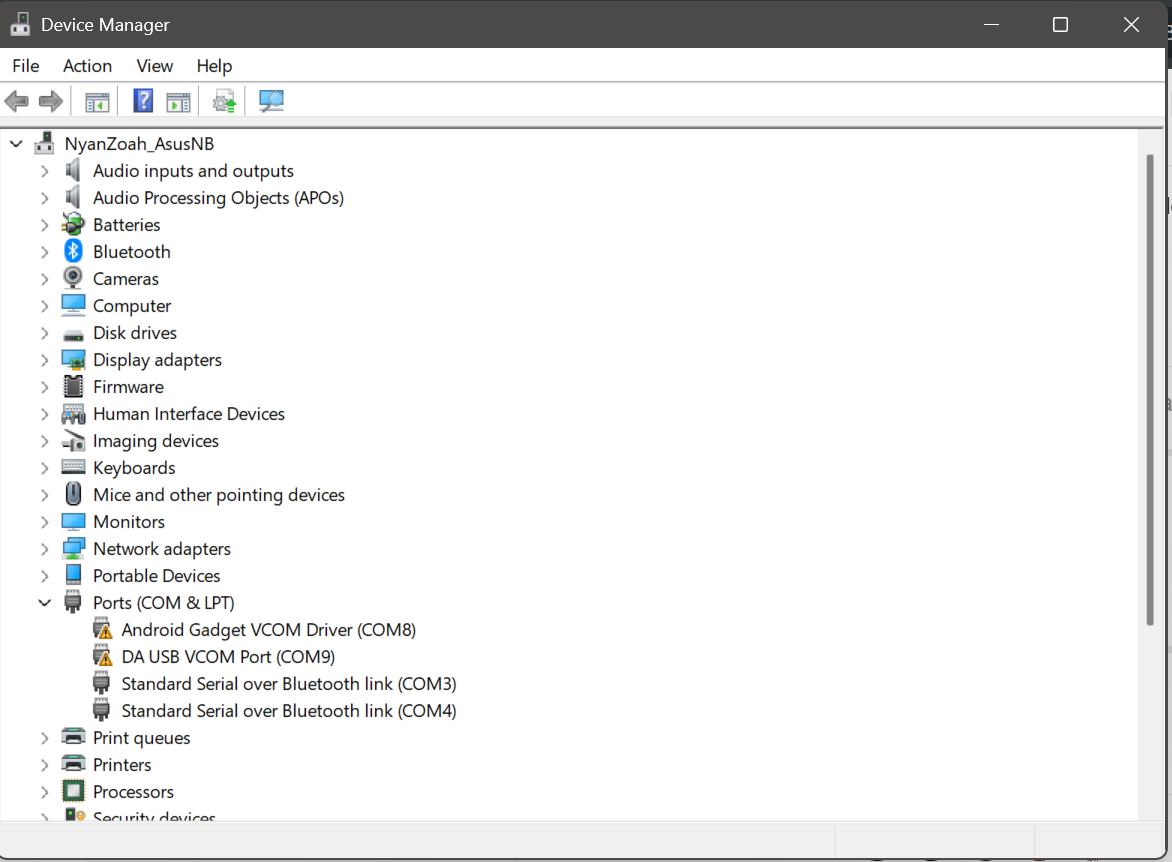
I followed the instructions in the Tutorial but when clicking download it just hangs like this…
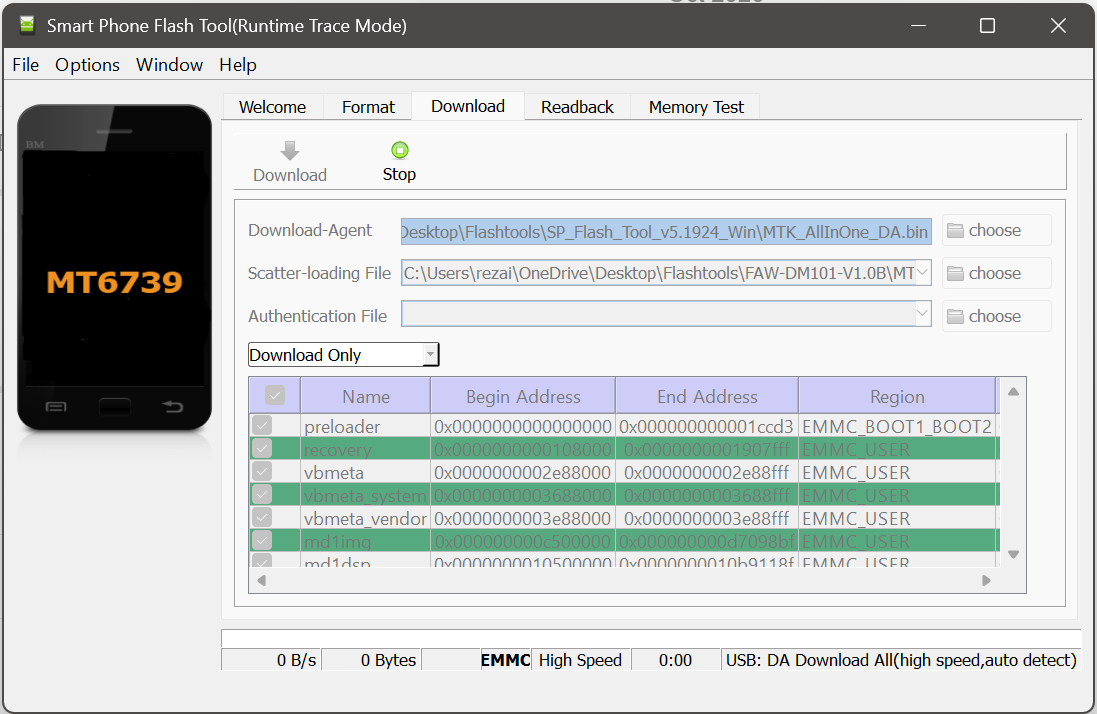
i have the watch showing up as well…
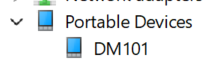
What did I miss in the tutorial?
When you connect watch via cable ( turned off ) it should start flashing
Also i notice you have not changed from " download only " to " firmware upgrade "
Its all in the instructions
2 Likes
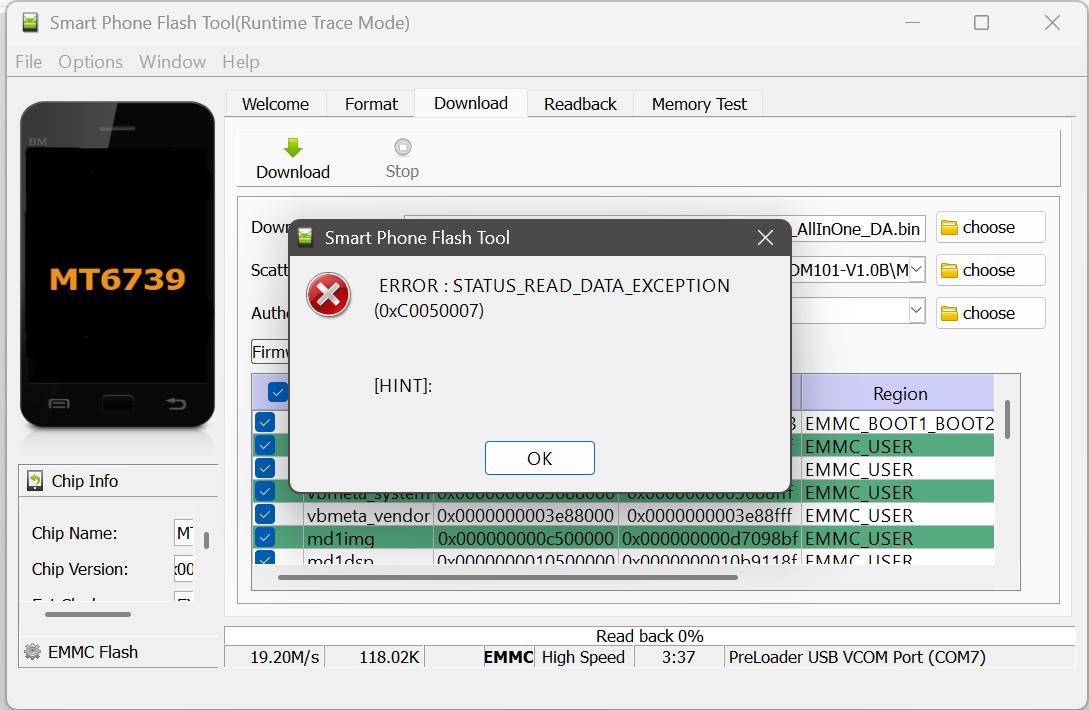
No, it dont start flashing automatically : you have to press once button of the watch while pluging it..
As say Dr_Andy_Vishnu you must be in ‘Firmware upgrade’ mode, but you must press once button of the watch while pluging it and the watch must be power off before.
And think to reset the watch before flash, or you may loose the IMEI..