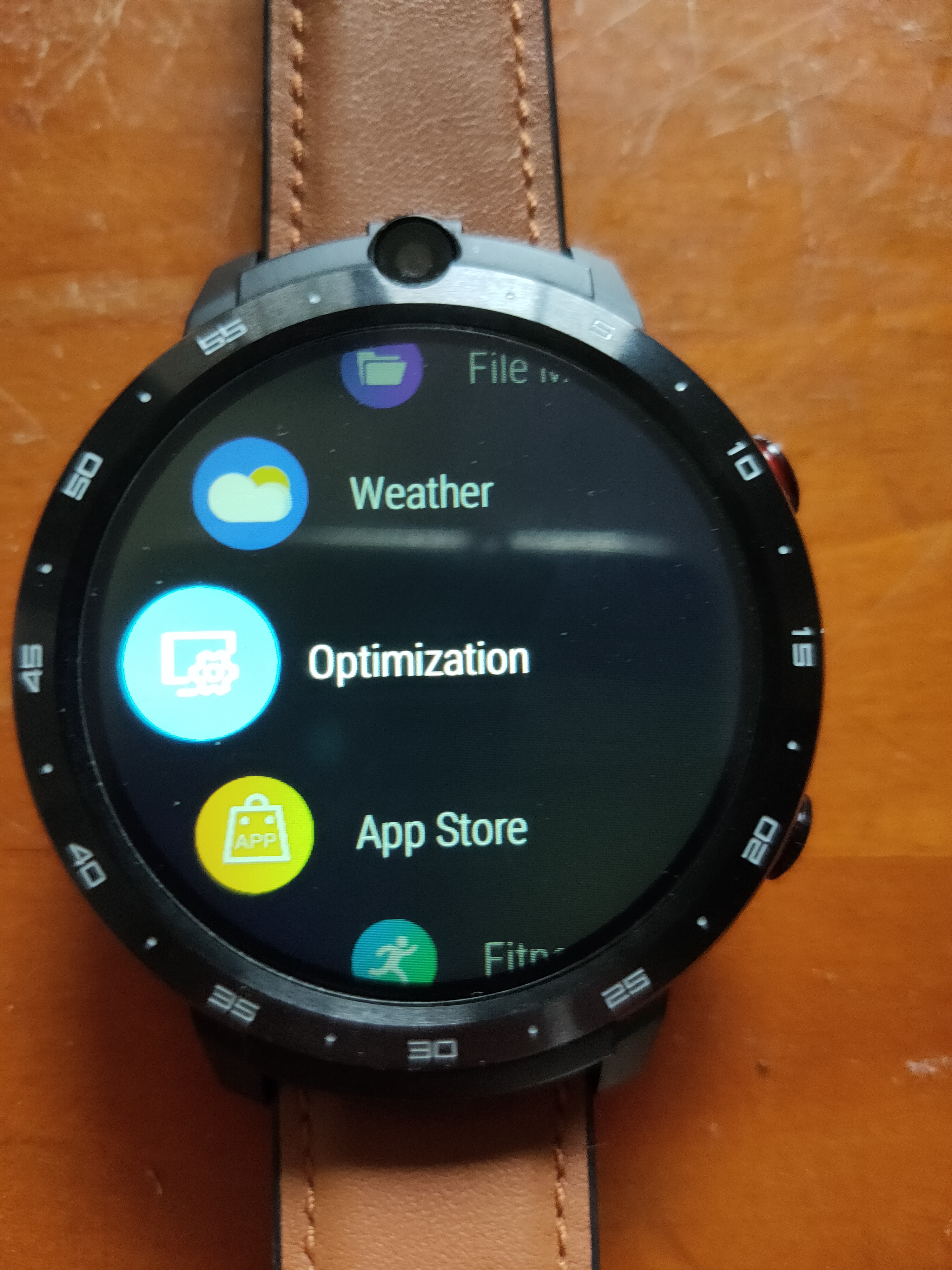
Have you tried using the cleantask app in the Optimisation section on the main menu?
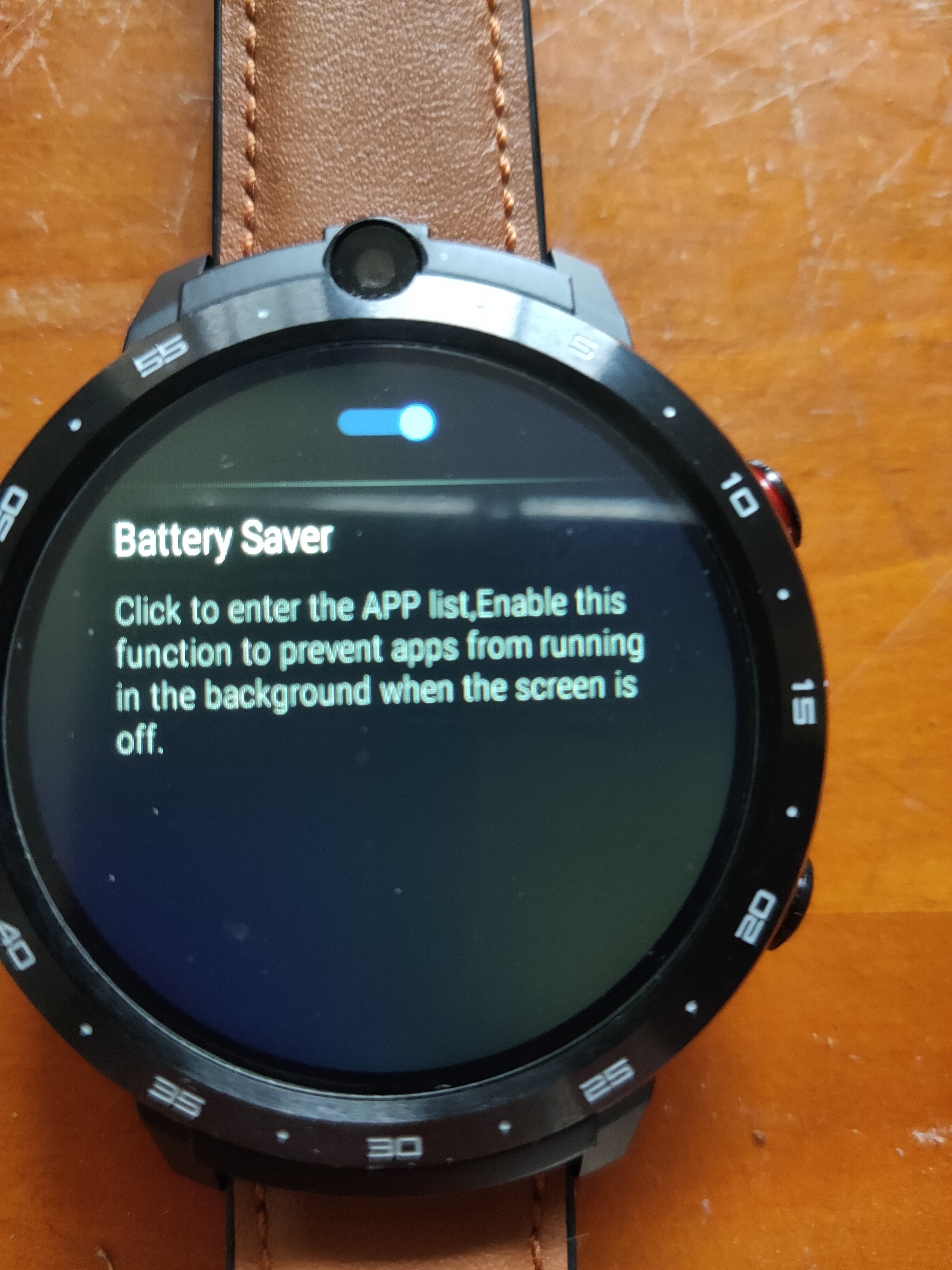
Then open Cleantask and you will find the battery saver app
Just in case you have not seen this yet
Have you tried using the cleantask app in the Optimisation section on the main menu?
Then open Cleantask and you will find the battery saver app
Just in case you have not seen this yet
Removed post as already said… This is not the place for it and damage will be caused by it
You can pm me if you want to discuss
Actually that was a joke - I was running VMOS which is a virtual android machine running on android and it comes with roms that are pre-rooted. It’s just an app running on the watch so - no I don’t have actual root on the Prime 2. Cheers
PM on the way…
So…this watch is back in production? Should I order it now?
I don’t see why not?
I’m curious about a few things regarding this watch and all smartwatches in general (I guess). Is this watch going to work as expected straight out of the box, as it should? It seems there’s an awful lot of adjustments being made in regards to things that should have been dealt with prior to releasing it for sale. I won’t go as far as saying that they’re being sold knowingly with problems but more that the wrinkles haven’t been worked out fully. OR are the adjustments being made more of a personal decision to improve to watch performance? I guess I need to know what is expected of these types of watches out of the box, that in my opinion, shouldn’t need any adjustments except if the owner wants to improve their own watch. Rooting this, firmware that…etc because it’s not working properly, at a cost of $200 or so, seems to be a bit much to expect a buyer to do. It’s not our responsibility. My first go around with a smartwatch was a total disaster that I take full responsibility for since I was uneducated in smartwatch technology and such. Sitting back reading these feeds is educational but also mind blowing because I don’t fully understand how to do some of the things which have been posted or better yet, why they need to be done. I’m spending $400 on 2 watches that should work without issue (or very minimal anyway) out of the box. Plug and play as they say. Though I’m getting an impression living through these issues may be an accepted practice, especially with first generation watches from any manufacturer.
I appreciate the fact this page is here because if it wasn’t I’d lose my mind with the nuisance issues I’ve read about. I’ve researched Kospet and they seem to offer the best product but having to make heavy hitter adjustments that they should be doing because, well, it’s their product, is a lot to expect from a buyer. Unless course, as I said, it’s the standard rule of practice. Then, I’ve learned a bit more and it’s not out of the ordinary.
While I have not tested everything on this watch yet I believe everything works as it should out of the box other than my concerns about the battery being a bit less than expected - possibly due to the ‘Engineering sample’ I got. No need to be concerned with rooting as that’s just one of my things and only for those who want the challenge of it. Firmware updates have been a standard with nearly all smart phones and watches since they have been making them. They can typically be done automatically by the watch if you leave automatic updates on which I believe is the default.
I’m not sure what adjustments you are referring to but all smart phones / watches have many settings which can be adjusted for your preference. So far I see this watch as being the best available at this time with regards to processing power, Ram and camera resolution (once you peel off the film - they probably should have left a note on that in the box).
Even a huge company like Apple has left users with phones and computers which were full of problems and some updates even left them unusable. It’s just where things are at with such devices and if you understand how extremely complex these devices are (with circuits that involve literally BILLIONS of transistors and components) you’d probably wonder how the manage to work at all.
I’m seeing a new problem now that I’m taking time to check out some things on the Prime 2.
With mobile data turned on I should be able to browse the Internet - right? I can’t get anything with mobile data on. I can only see the Internet when on Wifi. Of course airplane mode is off, mobile dat on. Tried Chrome browser, other browser and Foss browser. Nothing. That’s a problem. This same SIM worked fine in the Prime 1 to see the Internet. Mobile data guage shows full strength.
It seems anything that needs Internet access is not working on mobile data. In a browser I get : err_name_not_resolved
Working fine for me?
@droidtrix, thanks for the response. I’m glad that some of the things I’ve seen people discuss or do in the forum are more a matter of choice than necessity. Having you guys and the forum is a great tool to have at our disposal and once I get my watches, I’m sure I’ll be reaching out.
I’m looking at all sorts of settings and options - even tried ‘Performance mode’ but nothing so far is allowing Internet access on mobile data. Will look at APN settings next
Phone calls and text works but of course those don’t require mobile data…
If you have wifi turned off can you update weather?
When trying to open the default Weather app I get the error: Connect to a WLAN network or insert a SIM card to use mobile data. That’s with Wifi off, Airplane mode off and Mobile data on. I see 4G mobile data in the page on mobile data and it’s full strength
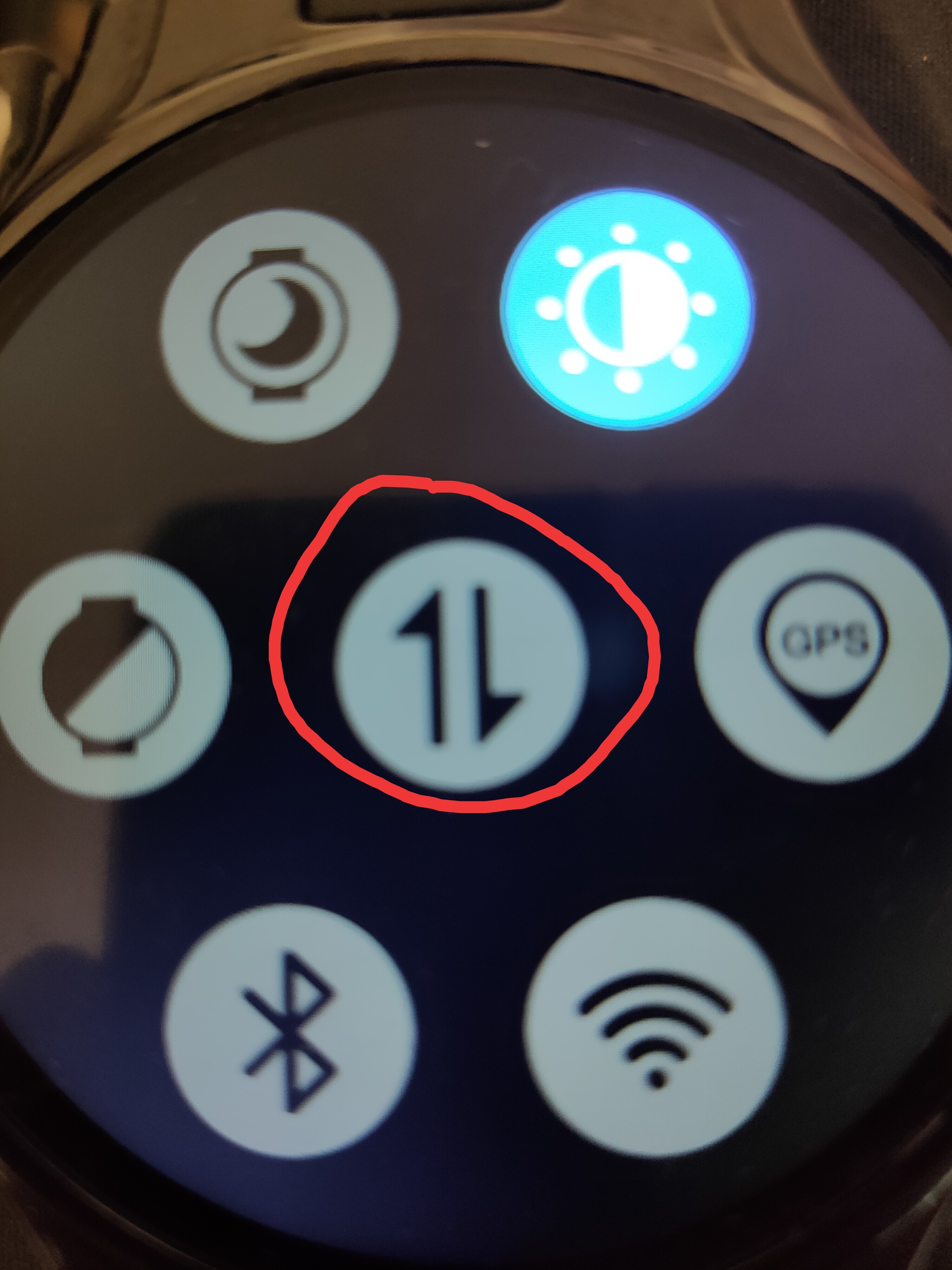
Bright - and the page to the left shows all bars in the middle circle and says 4G. If that item you circled is showing dark than there is not 4g on the other page.
I can have this turned off (dark) and it still shows 4G in the previous view. This is just data on and off button
Doesn’t seem to work that way on mine but shouldn’t it be bright if you want data on?
edit Sorry it does show 4g without the data button on.
Yes it should.
I was just saying that data on or off - 4G signal is available.
I believe that you may have accidentally done something.
Factory reset is the best way to be sure
And confirm that you have imei number in phone settings