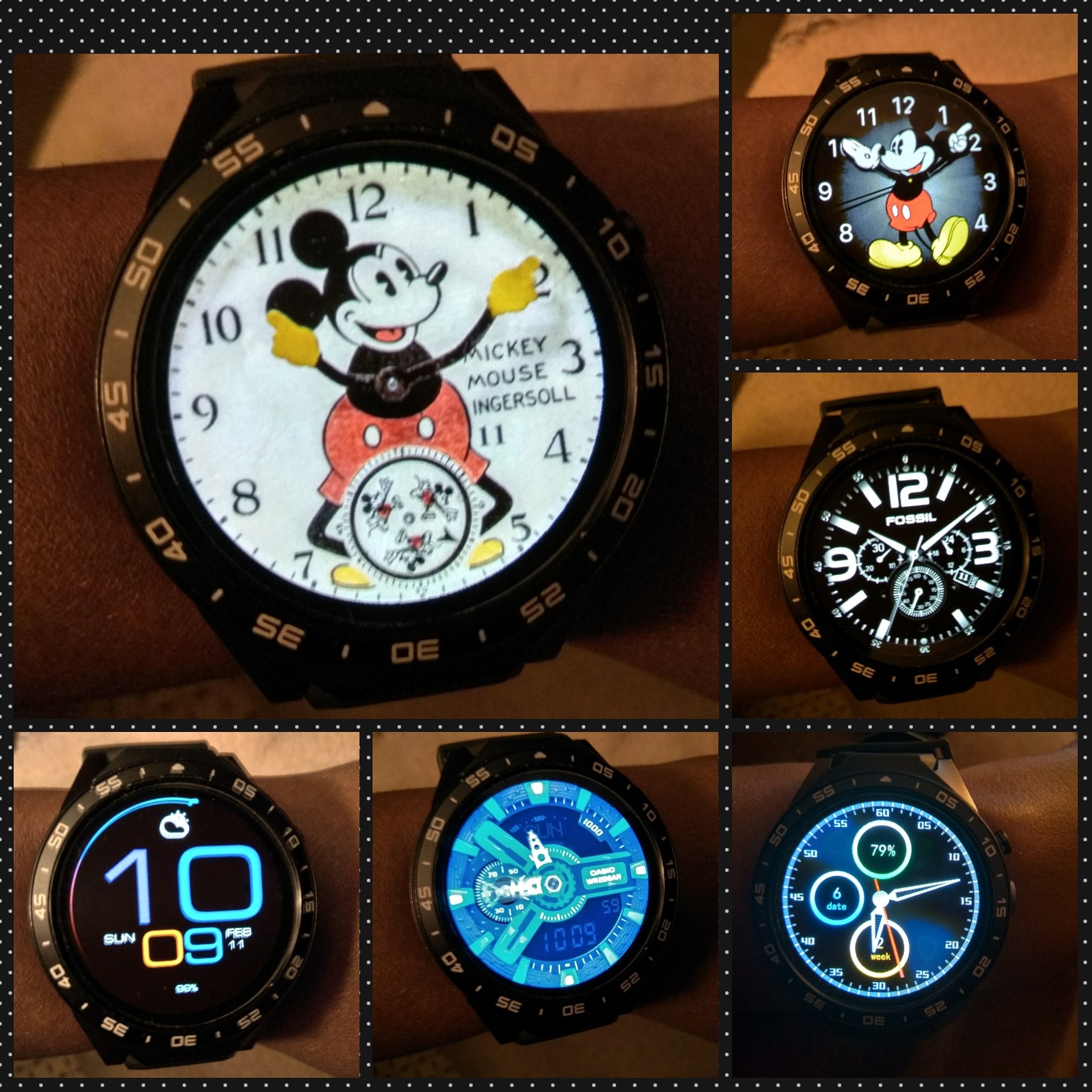
I don’t know if everyone knows by now, but I’ve used Watch Droid Phone and Watch Droid Assistant. That is after flashing the firmware following the video on here. I love my Kw88 now with the exception of the battery. I get text notifications, sounds and can Bluetooth Call. I now trying to figure out how to install clock skins and get other notifications because all I get is texts.
Feb 11, 2018 20:53:25 GMT 1Rogue One said: I don’t know if everyone knows by now, but I’ve used Watch Droid Phone and Watch Droid Assistant. That is after flashing the firmware following the video on here. I love my Kw88 now with the exception of the battery. I get text notifications, sounds and can Bluetooth Call. I now trying to figure out how to install clock skins and get other notifications because all I get is texts.
Same with me on my kw88 with same App’s and all is possible.
I get all notification from phone in watch.
I alredy got notifications from watsapp, outlook, gmail and sms.
I also control music in my phone using Watch Droid Assistant.
Feb 11, 2018 20:53:25 GMT 1Rogue One said: I don’t know if everyone knows by now, but I’ve used Watch Droid Phone and Watch Droid Assistant. That is after flashing the firmware following the video on here. I love my Kw88 now with the exception of the battery. I get text notifications, sounds and can Bluetooth Call. I now trying to figure out how to install clock skins and get other notifications because all I get is texts.
I posted my updates on here earlier with pics! I downloaded the Universal Launcher after the firmware and stuff. The Watch Droid and Assistant made notifications work with sound. Now I have a fully functional KW88! The clock skins only worked after I installed the launcher. Then it was like using a USB. Download the watch .zip file, extract to a folder on desktop. Take the extracted folder, copy and paste into clock skin folder on phones storage and that’s it. The face is there right after.