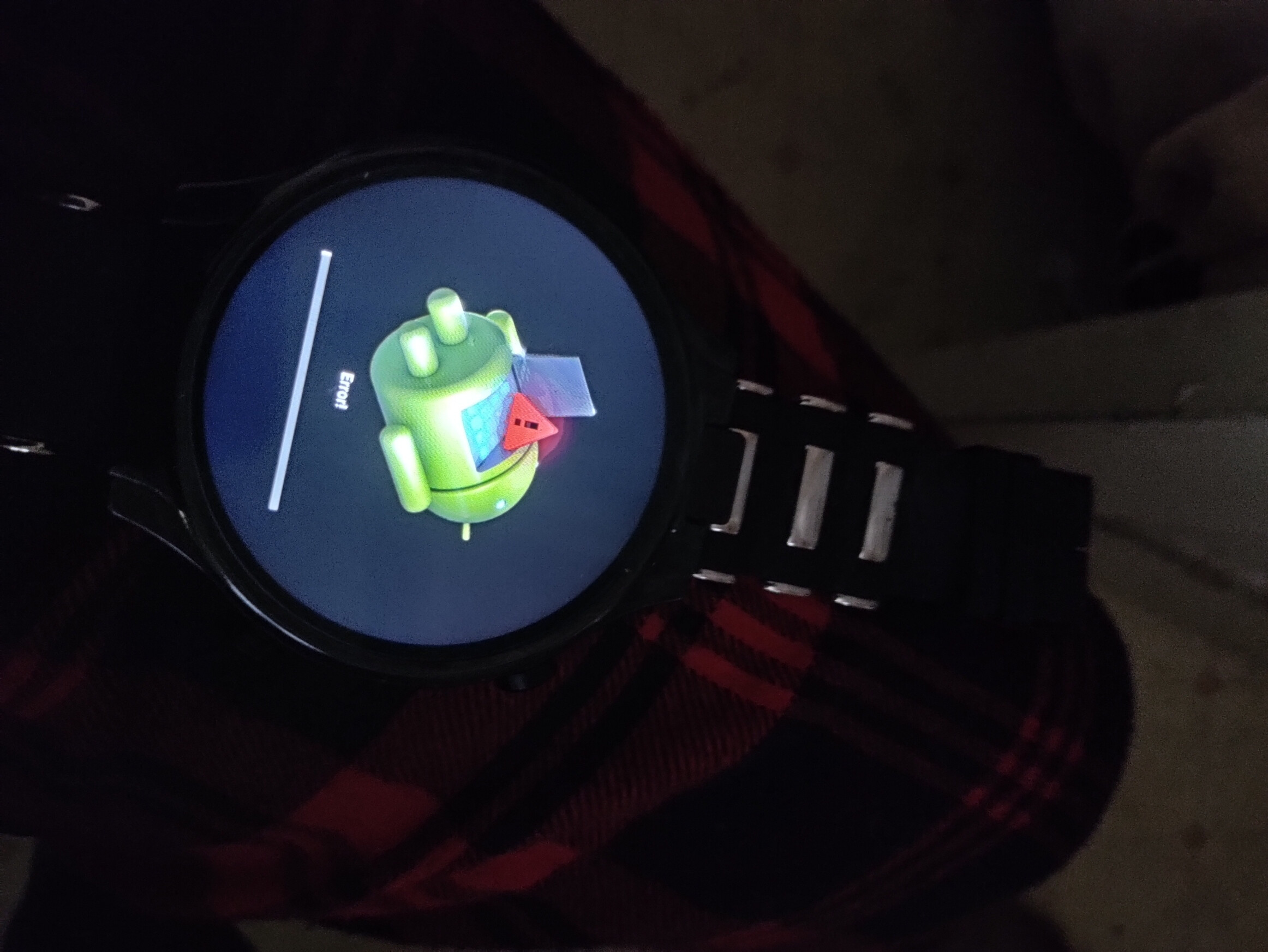
anny one else get this error during the install
Is it the Optimus and what did you install on it ?
1 Like
on prime 2 got it working now if only i could sign in to google
@Freddie_Thomas_Jr
I’m sorry but I don’t understand what you are doing?
This was in the Optimus Pro firmware thread and you clearly have a Prime 2.
What exactly are you doing?
It’s not and it’s chaos…
great job you guys are doing over there @ faw
log in to play store in to my google account
@Freddie_Thomas_Jr
So why did you post in the Optimus Pro firmware thread?
It is totally incompatible firmware?
How about we start with the basics.
Which firmware have you got on your Prime 2 now?
custom build version faw-prime2-v01
after about 5tries it finally took
Well, congratulations…
I am speechless…
1 Like
Hi FAW members! First, a deep thanks to everyone who has put in the time to put this forum and all its updates together, extremely helpful for those of us who saw the potential of the watch but didn’t know/have the time to go about fixing it.
I’m trying to update my Prime 2 to the latest “D09_KOSPET_PRIME2_V2.2_20211119.zip” firmware found at the start of the “Kospet Prime 2 Official support UPDATED!” thread but I keep getting the above error screen that Freddie_Thomas_Jr posted. I tried attaching my own images of the problem and also showing my current watch version (v2.1) but I’m not allowed yet.
I followed all of the steps:
- download the zip to watch internal storage
- turn off network
- go to wireless update, select file
- click install, let it reboot
- it ends up at this error screen every time
I also did a factory reset BEFORE I tried installing it as well to be sure I didn’t have some where setting set that could interfere, still no luck.
Any idea what I might be missing here?
Thanks!
That is not an “update.zip”.
It’s full stock firmware and needs to be flashed with SP Flash Tools.
Appreciate the response!
A little confused - in the other thread it says the international firmware doesn’t require flashtool and to follow the steps I mentioned above to install directly from .zip file. Is the international firmware still available?
I also tried using the flash tool following the linked Google Drive how-to doc and, after installing the Driver_Auto_Installer_SP_Drivers_20160804 (I’m guessing these are the mediatek usb drivers needed) and loading the scatter file and setting to firmware update, the download to my watch never started. All the buttons grayed out and then nothing happened.
Well responding to my own question here because I finally figured out how to use the flash tool based on the flash tool instructions within the program and NOT the “Flashing tutorial 2020” pdf guide linked to here in the forum.
Things to fix:
- remove the double ‘\\’ before MTK_AllInOne_DA.bin in the Download-Agent default entry field
- turn off the watch and unplug the usb cable
- load scatter file, switch to ‘Firmware Upgrade’ in drop down menu
- start download FIRST by clicking download button
- THEN plug in the watch AND turn it on by long pressing power button
- the firmware download should then automatically trigger
- after the firmware finishes loading, long press power button again to turn watch on
- expect the phone to site on the ‘android’ loading logo for a minute or three before it loads into the “choose your language” screen
Hope this helps someone else.