My M99 Mini (2.29" AMOLED, rotating crown camera, sold as “Android 13”, really Android 8.1, 2 GB / 16 GB) now powers on only into download mode (USB 1782:4d00, black screen). It started after I ran adb reboot autodloader once, to test spd_dump. Nothing was ever written to it.
Battery fully disconnected (I fitted a switch), buttons fine, no shorts: still download mode on every power-up.
spd_dump (Linux) with FDL1/FDL2 from two other 8.1 watch firmwares (DW99 20240316, PGD 8541EB 20230803), FDL1 at 0x5000. BROM answers (“SPRD3”) and accepts FDL1, but FDL1 never answers (CHECK_BAUD fails). So I think I need loaders from this exact firmware.
Questions:
Does anyone have the stock .pac, or just fdl1/fdl2, for an M99 / T55S / KXD watch on W377E with an MB_V3.0 board? Or know which other brand/model uses the same firmware?
Has anyone recovered a W377E watch that boots into download mode every time after autodloader? Is there a flag stored on the watch (misc partition?) that keeps sending it there?
I’ll share my full backup and everything I learn once it’s alive again. Thanks!
@AILIFE you mentioned having some W377E firmware: would any of it match this board?
Oof, I’ve been here before. What worked for me on other watches was dumping the entire firmware through BROM using spd_dump, then having ChatGPT help reconstruct it into something flashable. Might be worth trying if you can’t find a matching PAC.
You’ll need to get a compatible FDL1/FDL2 working first, though. That said, your issue could literally just be a finicky USB connection or communication timing issue. I’ve had these watches be incredibly picky about cables, ports, and transfer settings.
Update: WE’RE IN! Thank you @thrashmetaldinosaur, your “get a compatible FDL1/FDL2 working first” was exactly right.
The loaders that work on my M99 Mini (W377E, MB_V3.0, display id DW_W377E_…410X502) come from @AILIFE’s public Google Drive (linked in the XDA “generic Unisoc smartwatches” thread): UNISOC watches → pac files → W377E → S16 → DW_W377E_EW12EEA_V31_BDZ_S16C…_410X502.pac. Its fdl1 (0x5000) and fdl2 (0x9EFFFE00) both run; partition table read isn’t supported, so I’m reading partitions one by one with spd_dump. A full read-only backup is running now; nothing has been written to the watch.
Tip for anyone stuck the same way: the stock magnetic charger only wires 2 of its 4 pogo pins (power). We cut a USB-A data cable and soldered green/white (D+/D-) to the two unused pins, and that gave us a data link to download mode.
Happy to share the files or the backup method with anyone who needs them. Next we’ll also be looking at the new Lokmats; very interested in working with them and seeing what we can do. Cheers!
Happy to help. I “bricked” enough of these watches to realize the answer is almost always finding a compatible FDL1/FDL2 and then dump by any means necessary lol
@thrashmetaldinosaur thanks! Update: I retested with a clean direct connection and the Lokmat 6 Max fdl1 (same sp9832e_1h10 platform) uploads completely every time, but after EXEC it never answers. So the link is fine; the watch just won’t run that loader.
Since your method needs a working FDL1/FDL2 first, do you happen to have (or know where to find) loaders or a .pac for the M99 Mini / W377E (board MB_V3.0, SC9832E, Android 8.1)? Or any SC9832E loader that has worked on watches from this maker? Happy to test anything and report back. Cheers!
As it is firmware for that model, did you try to use the Spreadtrum flash tool and you got this result?
Or are you trying a different method?
It seems strange to me that CD or whatever factory makes these would use a secure key or signature to on the preloader… usually if the firmware is the correct version for the board, you can should be able to flash without problem. Regardless of the brand name. At the preloader level the brand name is of no importance. It’s the compatibility of the device that is important.
I would start with the standard unisoc / Spreadtrum flash tool with correct com port drivers and if it fails, check the log file and find out what’s causing the problem.
Kinda surprised to hear that it didn’t work. I’ve never had a problem if I am using the correct firmware version. All good though and sorry to hear it didn’t work.
Ok, I’ll delete it now. Get my g-drive space back..
AFAIK most of these factories are using the same public spreadtrum key, but most of the time it all boils down to stuff related to build.prop + compatible drivers
anyways the M99 Mini isn’t made by the same people that made the M99
W377E devices that are forced into BROM mode by using adb reboot autodloader OR using the --kickto 2 option will inevitably delete the splloader partition. It’s how the SoC was designed.
If you ever encounter into entering BROM mode continuously in these devices, you will need to flash the splloader partition from any other W377E device. All splloaders are the same in W377E.
I recommend spd dump with compatible FDL files, as the .PAC is flashed through Research Tool, which can repartition your memory if you’re not careful enough ticking or unticking the options before pressing the Play button. (Repartition means you lose all the partitions, including system, so you will need a full firmware backup instead of only the splloader)
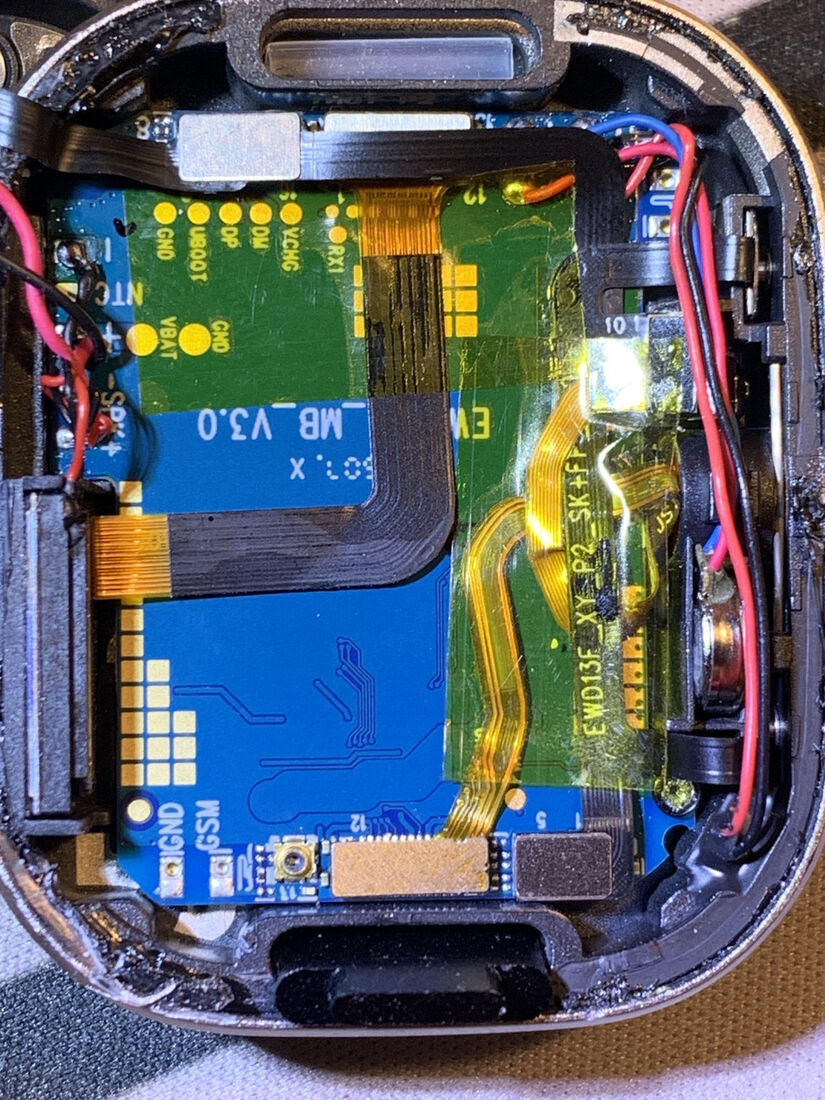
 Thank you
